


Bring in what you already have
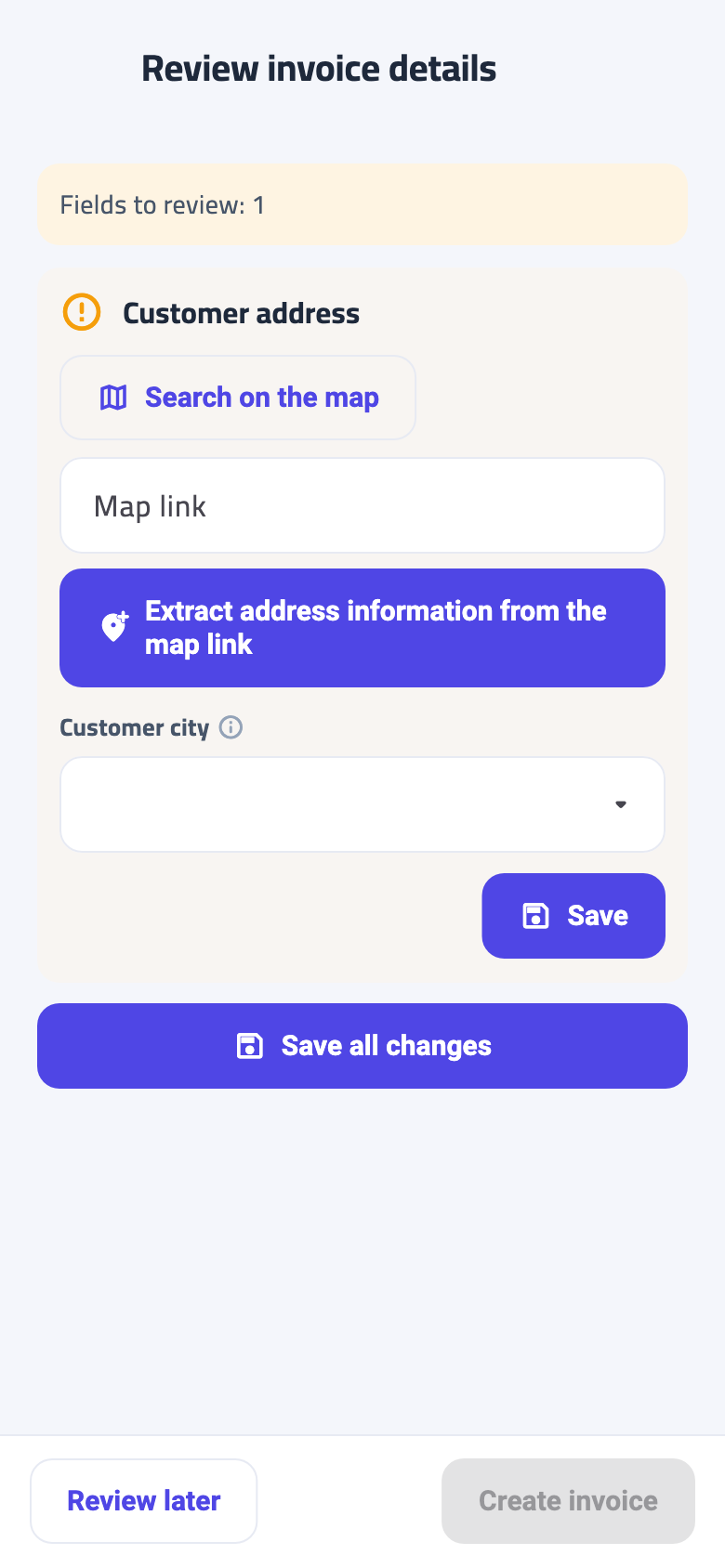
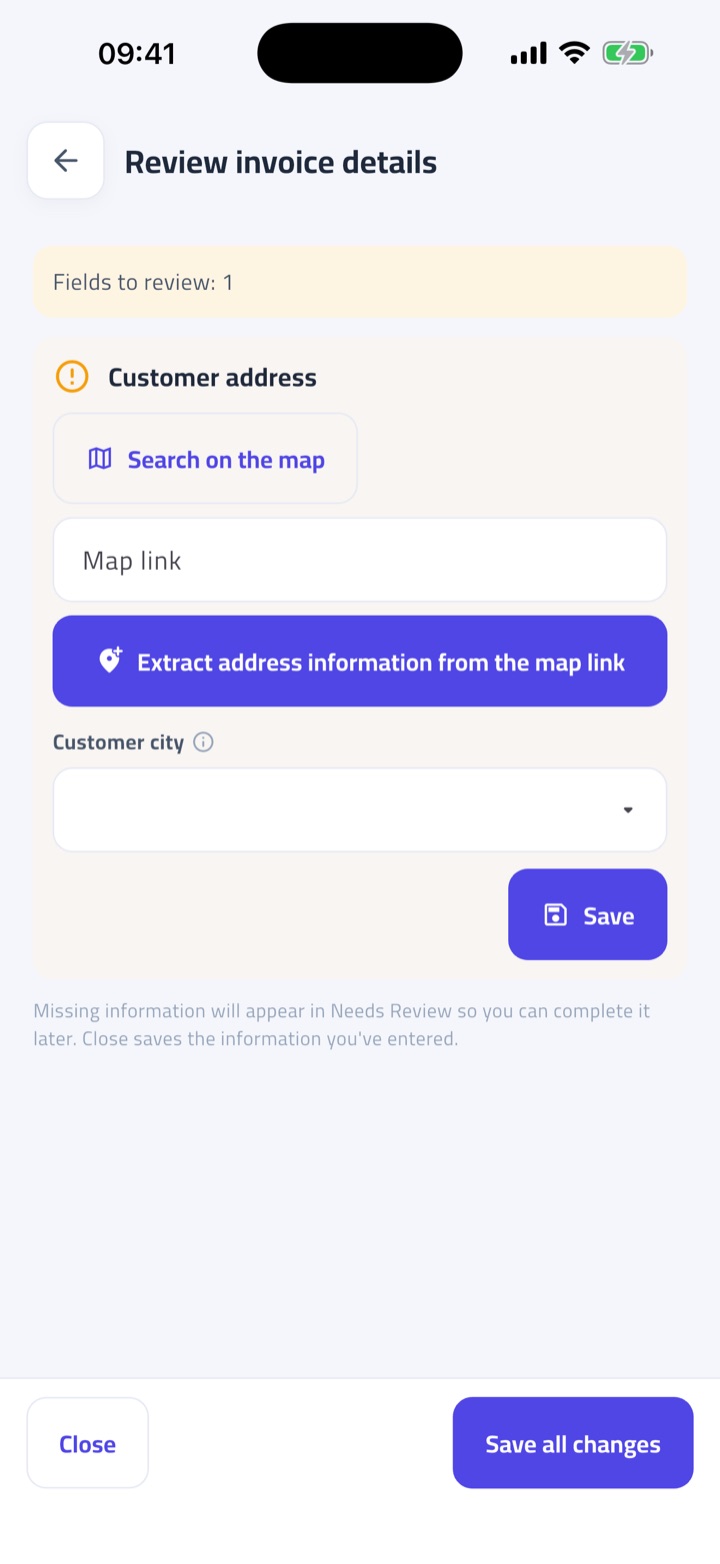
Type an invoice, import a spreadsheet, photograph a document, or send it through verified WhatsApp. Once the core invoice details are complete, save it with Review later and finish the remaining checks in Needs Review.
Fatura Sahla E-Invoicing the easy way
Turn sales, purchases, photos, spreadsheets and WhatsApp messages into professional invoices and structured records your team can understand.
Every feature is free during the open trial. No card required.


From scattered records to a clear next step
Bring in what you already have, see what needs attention, and finish with a professional invoice and a structured record.
The same items and amounts, organised for sharing.
| Item | Qty | Unit price |
|---|---|---|
| A4 paper | 20 | AED 18.00 |
| Printer ink | 4 | AED 95.00 |
Your invoice preview
Sample stationery business
Sample customer
Illustration using sample data, not a tax invoice or a PDF template.
Type an invoice, import a spreadsheet, photograph a document, or send it through verified WhatsApp. Once the core invoice details are complete, save it with Review later and finish the remaining checks in Needs Review.
Fatura Sahla checks invoice details against PINT-AE expectations and explains missing information in plain words before you share anything.
Create a clean PDF to email or share, while keeping sales and purchase records structured for export and future handover.
Follow one example invoice. Select a view or swipe.
Invoices, right in WhatsApp
Send an invoice photo or PDF, or use the guided template to create a sales invoice. Review the draft in the conversation before you confirm it.
WhatsApp invoicing is available to registered users with a verified WhatsApp number. Missing details may need review in the app.
See the WhatsApp setup guide
Being ready should not mean hiring an accountant or buying enterprise software.

Professional enough to send, complete enough to stand up to the rules.

Your own business information on every invoice, plus the full details of each new customer and supplier.

Some in a spreadsheet, some on paper, some in a chat thread. Come tax time, you go looking.

The person writing the invoice should not have to be the person who reads English.

One place for everything, kept in the shape the UAE e-invoice standards expect.
Start Free
Each account receives at least two months of full access from account creation.
We will give at least 30 days' notice before pricing or feature access changes.
Fatura Sahla prepares structured records and checks invoices against PINT-AE expectations.
It is not an Accredited Service Provider and does not transmit invoices to the Federal Tax Authority.
No. It prepares and checks records, but an Accredited Service Provider is still required for regulated transmission.
No. It exports PINT-AE XML on demand; it does not transmit invoices to the Federal Tax Authority.
Yes. Manual entry, document photos, spreadsheet import, and verified WhatsApp intake are supported paths.
English, Arabic, Urdu, and Hindi are supported on web, Android, and iPhone. Arabic and Urdu use right-to-left layouts.
Every feature is free during the open trial. Each account receives at least two months and at least 30 days' notice before pricing or feature access changes.

What UAE e-invoicing is, why the Ministry of Finance is introducing it, who it applies to and when — in plain words for owners and accountants.
Read the article
Revenue thresholds, VAT registration, B2B vs B2C, free zones and government customers: a checklist to tell whether and when the UAE e-invoicing rules reach you.
Read the article
Every UAE e-invoicing date in one table: the July 2026 pilot, the AED 50 million phase, the July 2027 date for everyone else, and what to do before each.
Read the articleStart with the records you already have and let Fatura Sahla guide what needs attention.


